AI ai dify llm GLM-4.5 & Dify:零成本构建 PostAI 王一川 2026-01-11 2026-02-25 PostAI 是博客网站与 AI 结合的产物,为网站提供智能客服与搜索增强功能,同时对于首次访问网站的用户可以依靠 PostAI 快速了解网站主题与热门文章。因此 PostAI 的角色是:
智能客服 智能搜索 智能摘要
如果您是在主站中刷到这篇文章,任意地方鼠标右键点击「智能管家」即可体验,其它渠道可以先访问:https://blog.kpretty.tech/
一、设计思路 围绕「客服」、「搜索」和「摘要」容易想到的是 AI + 知识库,将博客与文章相关的数据定时同步到知识库。例如:dify 与扣子的知识库都提供基于 sitemap 的抓取工具,但是因为知识库依赖召回策略,当用户想要了解指定文章内容时是期望将整篇文章内容都返回给 AI,而知识库往往只能返回片段或者召回到其它片段。总体来说知识库在内容完整性与时效性不能很好的适配 PostAI 场景
知识库也可以不切分,但整体来说比较黑盒不自由。同时知识库也需要定期维护成本过高
一种轻量级的设计思路便是:假如可以提供博客元数据查询工具以及指定文章链接获取文章内容工具,当用户咨询 AI 关于博客的相关问题时首先调用元数据查询工具,让 AI 自主判断(或小小辅助一下)仅有的元数据是否可以回答用户的问题,如果不可以则再调用查询文章内容工具进行补充。它的好处如下:
实时,接口可以实时获取到最新的博客数据 轻量,无需持久化任何数据 拓展,后续可以增加工具扩展 PostAI 能力 二、环境准备 2.1 数据 需要提供两个工具
博客元数据接口 指定链接获取文章内容接口 首先博客元数据最方便的就是 rss,相信这是每个博客的标配。但是默认 rss 的 description 是自动截取文章的内容可能对文章的描述不够准确,因为大部分文章的第一段都是背景介绍。博主这里自己维护了一套元数据,如果你的博客框架也是 hexo 那么可以直接拿去用。
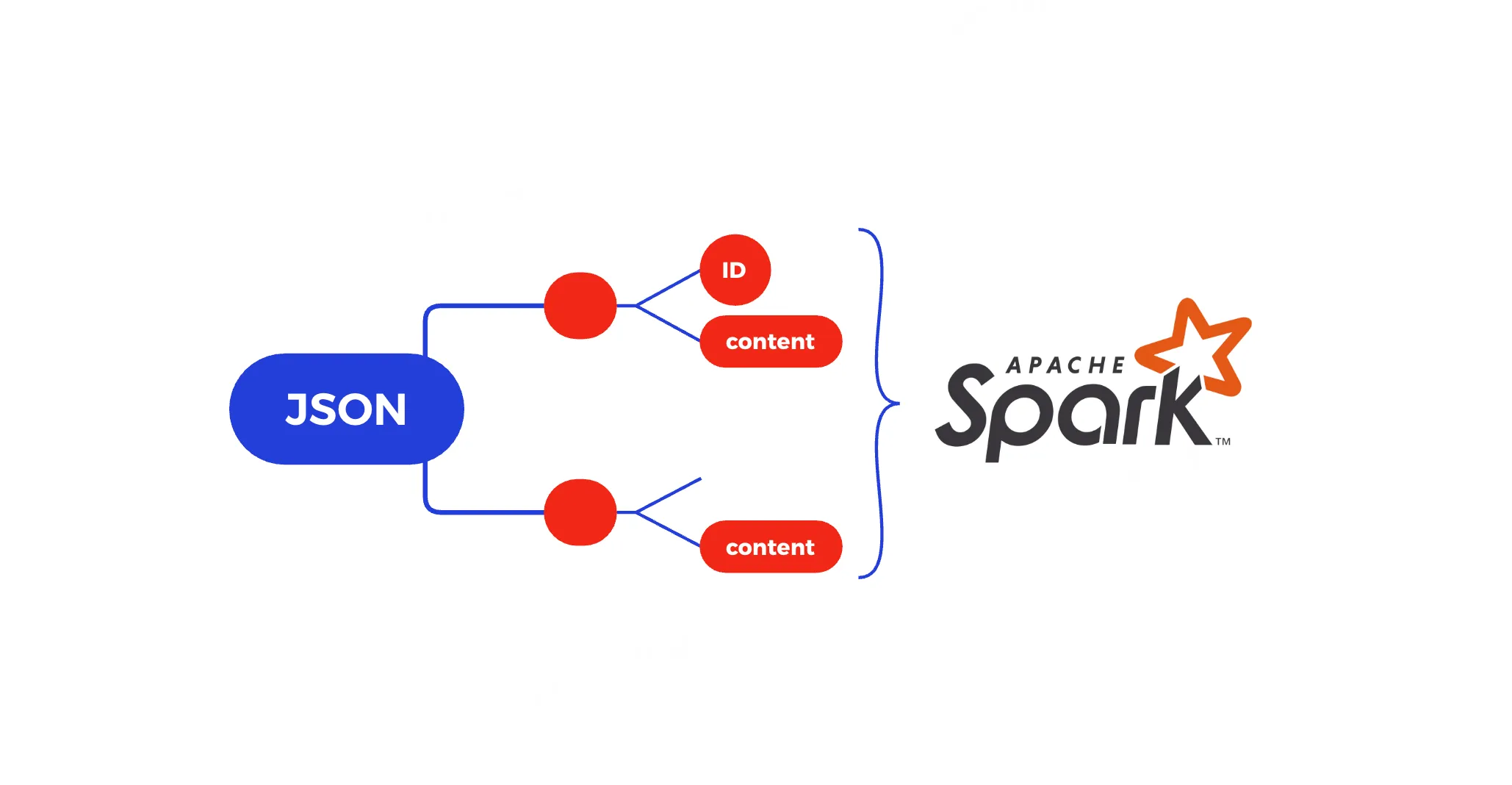
hexo 在构建时,通过自定义 js 脚本读取所有文章原始 markdown 文件的 front-matter 部分生成 meta.json 文件并放置到 public 文件夹下随着博客文件一并部署
const fs = require ('fs' );const path = require ('path' );const yaml = require ('js-yaml' );const postsDir = path.join (hexo.source_dir , '_posts' );const outFile = path.join (hexo.public_dir , 'posts-meta.json' );const configFile = path.join (hexo.base_dir , '_config.yml' );const config = yaml.load (fs.readFileSync (configFile, 'utf-8' ));const homepage = String (config.url || '' ).replace (/\/$/ , '' );const permalinkTpl = config.permalink || ':year/:month/:day/:title/' ;hexo.extend .filter .register ('before_generate' , function ( const files = []; function walk (dir ) { for (const name of fs.readdirSync (dir)) { const full = path.join (dir, name); if (fs.statSync (full).isDirectory ()) walk (full); else if (name.endsWith ('.md' )) files.push (full); } } if (fs.existsSync (postsDir)) walk (postsDir); const result = []; files.forEach (file => const raw = fs.readFileSync (file, 'utf-8' ); const match = raw.match (/^---\s*\r?\n([\s\S]+?)\r?\n---/ ); if (!match) return ; let meta; try { meta = yaml.load (match[1 ]); } catch (_) { return ; } const abbrlink = meta.abbrlink || '' ; const date = new Date (meta.date || Date .now ()); const dateMap = { year : date.getFullYear (), month : String (date.getMonth () + 1 ).padStart (2 , '0' ), day : String (date.getDate ()).padStart (2 , '0' ), hour : String (date.getHours ()).padStart (2 , '0' ), minute : String (date.getMinutes ()).padStart (2 , '0' ), second : String (date.getSeconds ()).padStart (2 , '0' ) }; let slug = abbrlink || meta.title || path.basename (file, '.md' ); const permalinkPath = permalinkTpl .replace (/:title/g , slug) .replace (/:abbrlink/g , abbrlink) .replace (/:(year|month|day|hour|minute|second)/g , (_, k ) => dateMap[k]); const url = homepage + '/' + permalinkPath.replace (/^\/+/ , '' ); result.push ({ title : meta.title || slug, abstract : meta.ai || '' , tags : normalizeArray (meta.tags ), categories : normalizeArray (meta.categories ), date : formatDate (date), url }); }); result.sort ((a, b ) => new Date (b.date ) - new Date (a.date )); fs.mkdirSync (hexo.public_dir , {recursive : true }); fs.writeFileSync (outFile, JSON .stringify (result, null , 2 ), 'utf-8' ); hexo.log .info (`已生成 ${outFile} 共 ${result.length} 篇文章` ); }); function normalizeArray (val ) { if (!val) return []; if (Array .isArray (val)) return val.map (String ); return [String (val)]; } function formatDate (d ) { const pad = n => String (n).padStart (2 , '0' ); return `${d.getFullYear()} -${pad(d.getMonth() + 1 )} -${pad(d.getDate())} ` + `${pad(d.getHours())} :${pad(d.getMinutes())} :${pad(d.getSeconds())} ` ; }
上述脚本会在 hexo g 时自动执行,最终生成的文件名为:posts-meta.json 部署后访问:https://blog.kpretty.tech/posts-meta.json
title: 文章标题 abstract: 自己维护的文章摘要 tags: 文章标签 categories: 文章分类 date: 发布时间 url: 访问链接,用户给下一个工具使用 下面有请大善人jina 他们专注开发 embedding 与 reranker 模型,同时提供 reader、深度搜索以及小型语言模型等。他们提供了无密钥 20 RPM的 reader 接口,只需要一个链接就可以返回对 AI 友好的文章内容
curl "https://r.jina.ai/https://blog.kpretty.tech/p/27dc26d9.html" \
  -H "Accept: application/json" \
  -H "X-Engine: direct" \
  -H "X-Retain-Images: none" \
  -H "X-Return-Format: markdown" \
  -H "X-Target-Selector: article"
X-Engine 读取引擎不填表示默认 direct: 速度优先 browser: 质量优先 X-Retain-Images 删除所有图片 X-Return-Format 内容格式为 markdown X-Target-Selector 表示 css 选择器,这里只提取 article 部分剔除博客无意义的框架层数据 2.2 大模型 无需多言,第二个大善人智谱 AI 提供完全免费的 GLM-4.5-Flash 语言模型,模型支持最长 128K 的上下文处理,可高效应对长文本理解、多轮对话连续性和结构化内容生成等复杂任务,采用混合推理模式,提供两种模式:用于复杂推理和工具使用的思考模式,以及用于即时响应的非思考模式。可以接入 Claude Code、Roo Code 等代码智能体中使用,也可以通过工具调用接口支持任意的智能体应用。
大家自行注册并获取到 API key 即可
2.3 平台 Dify 和扣子均可以实现 PostAI,但是因为最终需要内嵌到博客中而扣子的 UI 实在是 ———— 太丑了!!!这里使用 Dify Cloud 提供的免费空间:点击注册
第一步:设置 - 模型供应商
安装智谱 AI 插件并配置API key,只打开 glm-4.5-flash 即可
第二步:配置自定义工具
将上面提到的两个工具配置到 dify 的自定义工具中,点击工具 - 自定义 - 创建自定义工具,粘贴下面的 OpenAPI-Swagger
博客元数据工具
{ "openapi" : "3.0.3" , "info" : { "title" : "博客文章元数据" , "description" : "获取博客全部文章元数据(标题、摘要、标签、分类、发布时间、文章链接)" , "version" : "1.0.0" } , "servers" : [ { "url" : "https://blog.kpretty.tech" } ] , "paths" : { "/posts-meta.json" : { "get" : { "operationId" : "listPosts" , "summary" : "拉取所有文章元数据" , "responses" : { "200" : { "description" : "成功返回文章元数据数组" , "content" : { "application/json" : { "schema" : { "type" : "array" , "items" : { "type" : "object" , "required" : [ "title" , "abstract" , "tags" , "categories" , "date" , "url" ] , "properties" : { "title" : { "type" : "string" , "description" : "文章标题" } , "abstract" : { "type" : "string" , "description" : "AI 生成的摘要" } , "tags" : { "type" : "array" , "description" : "标签列表" , "items" : { "type" : "string" } } , "categories" : { "type" : "array" , "description" : "分类列表" , "items" : { "type" : "string" } } , "date" : { "type" : "string" , "description" : "发布时间(YYYY-MM-DD HH:mm:ss)" } , "url" : { "type" : "string" , "description" : "文章完整可访问链接" , "example" : "https://blog.kpretty.tech/2025/01/09/example/" } } } } } } } } } } } }
根据 url 抓取文章内容工具
{ "openapi" : "3.0.3" , "info" : { "title" : "Jina Reader – 单页抓取" , "description" : "通过 r.jina.ai 将任意网页转成 Markdown(仅返回 article 区域)" , "version" : "1.0.0" } , "servers" : [ { "url" : "https://r.jina.ai" } ] , "paths" : { "/{targetUrl}" : { "get" : { "operationId" : "fetchArticle" , "summary" : "抓取网页并返回 article 区域 Markdown" , "parameters" : [ { "name" : "targetUrl" , "in" : "path" , "required" : true , "schema" : { "type" : "string" } , "description" : "需要抓取的原始网页完整 URL(无需 encode)" , "example" : "https://blog.kpretty.tech/p/27dc26d9.html" } , { "name" : "Accept" , "in" : "header" , "required" : false , "schema" : { "type" : "string" , "default" : "application/json" } } , { "name" : "X-Engine" , "in" : "header" , "schema" : { "type" : "string" , "default" : "direct" } } , { "name" : "X-Retain-Images" , "in" : "header" , "schema" : { "type" : "string" , "default" : "none" } } , { "name" : "X-Return-Format" , "in" : "header" , "schema" : { "type" : "string" , "default" : "markdown" } } , { "name" : "X-Target-Selector" , "in" : "header" , "schema" : { "type" : "string" , "default" : "article" } } ] , "responses" : { "200" : { "description" : "抓取成功" , "content" : { "application/json" : { "schema" : { "type" : "object" , "properties" : { "code" : { "type" : "integer" , "example" : 200 } , "data" : { "type" : "object" , "properties" : { "title" : { "type" : "string" , "description" : "页面标题" } , "content" : { "type" : "string" , "description" : "article 区域的 Markdown 内容" } } } } } } } } , "default" : { "description" : "抓取失败或异常" , "content" : { "application/json" : { "schema" : { "type" : "object" , "properties" : { "code" : { "type" : "integer" } , "message" : { "type" : "string" } } } } } } } } } } }
结果如下:
至此环境准备完成
三、PostAI 基于 Agent 在提示词中定义可能存在的场景,并告知大模型在什么场景调用什么工具;同时为了更好的用户体验让 Agent 使用边思考边执行模式,提示词如下
你叫【PostAI】,是「开源大数据驿站」博客网站的专属 AI 助手。
核心使命:用「边思考边执行」模式,先小声自言自语,再大声给结论,让用户实时感知你在工作。
可用工具:
listPosts → 返回博文元数据列表(最多 50 条,按发布时间倒序)
fetchArticle(url) → 返回单篇正文 Markdown
【思考-输出协议】
每次调用工具前,必须先输出一行「💭 思考:……」
工具返回后,必须先输出一行「📥 收到:……(关键信息)」
最终回答前,输出一行「✅ 结论:……」
若无需工具,直接输出「✅ 结论:……」即可
【场景判断流程】
请按以下顺序逐条匹配用户问法,一旦命中就执行对应动作并停止继续匹配。
如果用户出现“最新/最近/刚发/随便看看”等时间或随意词 →
① 调用 listPosts() 不带任何过滤,按照发布时间选择最近的 5 调
② 把返回的 5 条“标题+摘要+发布时间”展示给用户
③ 追问「要展开哪篇?直接说标题或序号」
如果用户给出“第 X 篇/标题是《》/URL 是 …”等明确指向 →
① 先提取 url(若用户只给序号或标题,则在最近一次 listPosts 缓存里反查 url)
② 调用 fetchArticle(url)
③ 用 200 字内摘要+关键段落回答,若正文超长则先给前 30% 并问「继续吗?」
如果用户问“有没有/关于/包含/推荐/找 …(主题词)” →
① 把主题词同时塞进 title 与 abstract 做模糊匹配,调用 listPosts(title=主题词, abstract=主题词, limit=10)
② 若返回空 → 提示“换关键词、放宽标签或查看全部”
③ 若返回 ≤3 篇 → 直接展示“标题+摘要”并问「展开哪篇?」
④ 若返回 >3 篇 → 先展示 3 条最相关,问「要看其余 N-3 条吗?」
如果用户问“标签/分类 是 …” →
① 调用 listPosts(tags=用户给的标签, categories=用户给的分类, limit=10)
② 后续逻辑同 3.③④
其余未命中情况 → 默认走 3.(当成主题词搜索)
【边界与兜底】
工具报错 → 输出「⚠️ 工具异常:…… 我可重试或换个说法」
列表过长 → 始终分页 3 条一组,用户说“继续”再翻页
用户只给情绪无实体词 → 走 1. 最新 5 篇
【示例对话】
用户:最近有 AI 文章吗?
AI:
💭 思考:用户问“最近”+“AI”,按场景 1+3,先走 1 拿最新 5 篇,再走 3 用“AI”过滤。
📥 收到:listPosts 返回 5 篇,其中 2 篇标题/摘要含“AI”——1.《用 AI 写提示词》2.《AI 绘画踩坑记》
✅ 结论:最近 5 篇里有 2 篇 AI 相关,第 1 篇热度更高,需要我展开吗?
用户:展开第 1 篇
AI:
💭 思考:用户要展开第 1 篇,反查 url=/blog/2025-01-08-ai-prompt,调 fetchArticle。
📥 收到:正文 1200 字,含 3 段代码示例。
✅ 结论:……(200 字摘要+关键代码)
最后将工具添加到 Agent 中即可实现大模型自主调用
点击 Agent 信息获取代码以 ifarme 形式嵌入博客即可
至此基于 GLM-4.5 和 Dify 完成了零成本构建 PostAI!!!之后就是调整提示词以及拓展工具,让 PostAI 早日成为你的博客智能管家吧